Many businesses create a Google business listing (known officially as a Business Profile) in order to be more visible on Google. However, something these business owners might not realize is that creating a Business Profile does not give them management over it and that they need those management and editing capabilities if they want their Business Profile to work as an effective SEO and lead generation tool.
So, as a business owner, how do you gain management over your Google Business Profile? The answer is, in addition to creating a free Business Profile, you must also create a free Google My Business account for that profile separately.
A Google My Business account is the only way that you can claim ownership of your Business Profile, attain management rights to it, and unlock additional free features to increase your visibility on Google. In this post, I’m going to cover everything you need to know about Google My Business, including:
What Google My Business is
How to use Google My Business effectively
How to use Google My Business for SEO
How to create a Google My Business account
What is Google My Business?
Google My Business is a tool that enables business owners to manage and optimize their Business Profile on Google. So to explain what Google My Business is and how it works, let’s first make sure we’re clear on what a Business Profile is.
Your Business Profile is Google’s term for your Google business listing. Business Profiles appear in Google Maps and in the local results of Google Search.
Creating a Business Profile is the same thing as adding a place to Google Maps — which is something that anyone, including a random stranger or an automated listing generator, can do. All that Google requires is the business name, location, and category. Once Google confirms it is not a duplicate, they will create the Business Profile for that location. The Business Profile is then open to consumers to leave reviews, add photos, ask questions, and even answer questions. The Business Profile may also get populated with information that Google pulls in from across the web.
This also means that a Business Profile can exist on its own, apart from a Google My Business account. Whether you created your own Business Profile or not, you don’t have the ability to manage the information it displays or the reviews it collects.
That is where Google My Business comes in. By creating a Google My Business account, you can access, customize, manage, and enhance your Business Profile on Google, all still for free, which we’ll get into next.
How to use Google My Business for local marketing
So we’ve established that Google My Business is not your Business Profile, but rather a tool by which you enhance your Business Profile to boost its visibility and effectiveness. There are four main ways you can use Google My Business to make your profile on Google listing a better local marketing tool:
1. Consumer engagement
There are a lot of ways consumers can interact with your Business Profile. Conversely, you can use your Google My Business account to engage back with them. You can respond to reviews, answer questions, enable direct messaging, and set up associated alerts. You can even use Google My Business to publish posts to your Business Profile, much like you would with Facebook and other social media platforms.
2. Highlighting your business
A Business Profile alone contains limited information about your business. But through your Google My Business account dashboard, you can provide hours, a link to your website, products and pricing, attributes, and other details that make your business unique. You will also use your Google My Business to make edits and updates as needed.
3. Gathering business insights
You can use the Google My Business dashboard to gain key insights on your audience and local search performance. In the analytics tab of the platform, you can see the queries customers are using to find your Business Profile, whether they found you on Google Maps or Google Search, a breakdown of actions taken on your listing, and how your photos are performing compared to other profiles in your category. Note also that there are ways to track clicks from a Business Profile via UTM parameters and Google Analytics.
4. Performing local SEO
Just as Google has algorithms for ranking its ads and websites, it also has one for ranking Business Profiles. Through your Google My Business dashboard, you can incorporate keywords into your Business Profile and perform other optimizations to help it rank in local results. How to use Google My Business for SEO
Google Business Profiles are dynamic. Not only do they change form based on platform, but Google will also prioritize sections of your profile according to the term that was searched as well as the type of information most important to consumers in your category. Even better, Google will embolden keywords in the content of your profile that it thinks are relevant.
But there needs to be informed to prioritise and keywords to embolden in your profile in the first place. Just as you would use a content management system like WordPress to optimize your website for search engines, Google My Business is used to optimize your profile and expand your reach. How do you use Google My Business for local SEO? When optimising for Google searches, it all comes down to the same three things: targeting, quality of information, and trust.
Target your information
To use Google My Business for SEO, make sure to incorporate relevant keywords into your Business Profile so you can tell Google what you’re trying to rank for. Use them in your “from the business” description, your responses to reviews, your answers to questions, and in the posts you publish. Make sure to incorporate them naturally just as you would with any other SEO strategy.
Maintain quality of information
The completeness and accuracy of your Business Profile impact its rank, so make sure to provide the requested information in every section of your Google My Business dashboard. Especially important here is your contact information, special hours, and attributes.
The final approach to using Google My Business for SEO appeals to the trust component of Google’s algorithm. Keep your information updated and accurate as your business evolves. Keep a steady stream of reviews coming in and respond to them. Also, signal to Google that you are active by regularly uploading photos and publishing posts to your Business Profile through Google My Business.
SEO is important for any business, but particularly for small businesses that can use local targeting to compete against large competitors on the SERP. Google is making local SEO even easier with its robust Business Profiles, so a Google My Business account is essential for any business trying to maximize visibility in their local market.
How to sign up for Google My Business
A free tool that turns my Business Profile into a power marketer for my business? Where do I sign up?
To get a Google My Business account, go to google.com/business and click “Manage now,” which will take you through the steps of creating an account. Remember, a Google My Business Account does not automatically create a Business Profile — it gives you access to it and the ability to add more to it. So you’ll want to make sure you have an existing Business Profile to access.
Also, remember that creating a Google My Business account does not give you automatic access to your Business Profile. Once you create and are logged into your Google My Business account, you will then need to locate your separate Business Profile on Google Maps and then select the “Claim this business” or “Own this business?” link seen right on the profile. Once you complete that process, your Google My Business account will then be connected with your Business Profile and under your management.
Conclusion
With a clear understanding of exactly what Google My Business is, how it works, and how to use it, you can now see that using this free tool isn’t just a good idea for local marketing but a must. Get your Google My Business account up and running now so your Business Profile can outshine your competitors and attract more customers on the world’s most popular search engine.
When you scroll through Facebook, Instagram, Twitter, or any sort of social media platform, you tend to leave a comment on your friend’s status or your cousin’s cute photo of her pet bunny, or just reply to a comment of your favorite celebrity’s Twitter update. What if we told you that in the near future, you’d be able to leave a comment on your search results as well? Sounds odd but it is true! Google will be rolling out this new feature that allows the user to comment and also read comments on the search results. It is similar to leaving reviews on Google results as well, just like how you can leave a review on restaurants or any other businesses on Google. So what exactly can you leave comments on? According to Google, while sports games are played live, you can add comments to the games on Google. Additionally, you can also leave comments on things you have searched on Google.
Also, you can rate the comments left by other users as well. We are not 100% sure how these comments will work and it is still in the works. Currently, this feature is not available yet. It is also understood that this feature does not work with all languages or regions yet.
But here’s how to leave a comment:
Leaving a comment
1. Go to Google.com or open the Google app. 2. Do a search. 3. In the overview box, tap or click More More. 4. Tap or click Comments and then Viewers. 5. Tap or click Add a public comment… 6. Enter your comment. It is pretty much very straightforward just like how you would leave a comment on Facebook and Instagram. You would need to log in to your Google account first to leave comments so you can’t leave comments anonymously.
The public who read your comment will be able to see your basic profile when they click on your name. You can definitely delete your comment after it is published.
Delete a comment
1. Go to Google.com or open the Google app Google Search. 2. Search for the game you commented on. 3. In the overview box, tap or click More More. 4. Tap or click Comments and then Viewers. 5. By your comment, tap or click More More and then Delete. This feature is yet to be made available however we think it will be rolling out soon. What do you think of this new feature? Does it bring a whole new aspect to your Google search? Or is it just redundant and pointless?
A survey by HubSpot found that 75% of searchers never go past the first page of search results. Therefore, if you are not ranking in Google’s top 10 results for your target keywords, your website might as well be invisible on Google. Hence, it is important to do everything you can to rank on the first page of Google.
There are several strategies and techniques you can follow to rank higher on Google, but if you don’t get the basics right, your chances of ranking on page 1 of Google are minimal.
By following these best SEO practices, you will be laying the groundwork for your site to increase its visibility in search. Once you have laid the groundwork, you can move on to more advanced keyword research and link building strategies.
To get you started, here are the 9 best SEO practices that you should follow to achieve higher search rankings in 2020.
1. Get Your Content Aligned with the Search Intent
Search intent (also called “user intent”) is the purpose behind every search query. Understanding and satisfying search intent is Google’s ultimate priority. Pages that rank on the first page of Google have all passed Google’s litmus test on search intent.
There are four common types of search intent:
Informational: A search falls under informational intent when the user is looking for specific information. It can be a simple search like “what’s the weather today?” that provides instant results or something complex like “best SEO strategies” that requires a more in-depth explanation.
Navigational: In this case, the searcher is looking for a specific website or app. Common examples of navigational searches include “Facebook login,” “SEMrush,” and “Amazon.”
Commercial: The intent behind a search is commercial when the user is looking for a specific product but hasn’t made the final decision yet. For example, searches such as “best SEO tools” and “best DSLR cameras” are all commercial searches.
Transactional: Here, the intent is to buy. The searcher has already made a decision to buy a specific product or tool. Examples include searches such as “buy Nikon d500,” “buy Macbook Air,” and “buy groceries online.”
An SEO best practice is to always keep the search intent in mind while creating content for your website.
For instance, if you would like to rank for the keywords “best DSLR cameras,” you need to realize that the search intent here is commercial, not transactional. The user is still undecided on which DSLR brand to choose.
There is no point in optimizing your DSLR landing page with those specific keywords. Google understands what users want when the search query is “best DSLR cameras.” They are looking for options. They are looking for a blog post or video which lists down the best DSLR cameras, not product pages or eCommerce pages.
Bottom line: Create content that aligns with the search intent of your target audience.
2. Provide a Title Tag and Meta Description
Your page title and meta description are two of the most important meta tags on your page. Let’s cover title tags first.
Title Tags
Title tags are clickable headlines that appear in search results and are extremely critical from an SEO perspective.
“Titles are critical to giving users a quick insight into the content of a result and why it’s relevant to their query. It’s often the primary piece of information used to decide which result to click on, so it’s important to use high-quality titles on your web pages.”
Search engines like Google typically display the first 50-60 characters of a title. Google will display the full title to your page as long as you keep your title tag under 60 characters.
Here are some other best practices to keep in mind while creating title tags:
Include your target keywords.
Write a title that matches search intent.
Avoid creating duplicate title tags.
Avoid keyword stuffing.
Keep it descriptive but concise.
Meta Descriptions
The second most important meta tag on a page is the meta description. A meta description is a brief summary of a page in SERPs it displayed below the title tag.
Meta descriptions do not directly impact search rankings, but they can influence click-through rates.
“A meta description tag should generally inform and interest users with a short, relevant summary of what a particular page is about. They are like a pitch that convinces the user that the page is exactly what they’re looking for.”
Google typically truncates meta descriptions to 155–160 characters, so make sure you provide an accurate summary of your content while keeping it under 160 characters.
Here are some best practices to follow while writing your meta descriptions:
Write unique meta descriptions for each page.
Use action-oriented copy.
Include your target keywords.
Match search intent.
Provide an accurate summary.
3. Optimize Your Images
Images play a crucial role in improving the user experience of visitors on your site. Chances are you spend a lot of time selecting the right images to enhance your blog posts, product pages, and other important pages on your site.But do you spend an equal amount of time optimizing the images on your site? When used the right way, images can contribute to your site’s overall SEO and boost organic traffic. Below are four things you can do to optimize your images.
Choose the Best File Format
Site speed is an important ranking signal, and images are often the largest contributor to overall page size. As a result, you need to optimize images for speed in order to improve the overall performance of your site. The first step involved in optimizing images is picking the best file format, so let’s look at JPEG vs. PNG. vs. WebP.
The most commonly used image formats on the web are JPEG and PNG. Both of these formats use different compression techniques, which is why the file sizes between these two can be dramatically different.
Looking at the difference in file sizes, it would be easy to declare JPEG as the clear winner. But it would be a mistake to use JPEG as the de facto image format for your site.
While JPEGs look great for photographs, PNGs are best suited for images that contain text, line drawings, etc. This illustration by Digital Inspiration proves my point.
WebP is another option, which Google breaks down here. They state, “WebP is a modern image format that provides superior lossless and lossy compression for images on the web.
WebP lossless images are 26% smaller in size compared to PNGs.
WebP lossy images are 25-34% smaller than comparable JPEG images at equivalent SSIM quality index.”
Learn more about how to use WebP in this Google guide.
Compress Your Images
The larger your image file size, the longer it takes the web page to load, which is why it is imperative that you compress your images before uploading them on your site.
Luckily, there are several free tools out there that can help you compress your images.
TinyPNG: TinyPNG uses smart lossy compression techniques to reduce the file size of your PNG and JPEG files.
ImageOptim: If you’re a Mac user, you can download and use this free tool for all your image compression needs. ImageOption is a tool recommended by Google as well. It’s by far the best tool for compressing JPEGs, but not for PNGs. For compressing PNGs, you’re better off using TinyPNG.
ShortPixel: If you run your site on WordPress, you can install this plugin to compress your images. ShortPixel’s free plan allows you to compress 100 images per month.
Provide Alt Text for Images
Despite advances in Google’s abilities to understand images, adding alt text to images is still a necessary step. Adding alt text to images improves web accessibility and helps browsers better understand the images on your site.
“When choosing alt text, focus on creating useful, information-rich content that uses keywords appropriately and is in context of the content of the page.
Avoid filling alt attributes with keywords (keyword stuffing) as it results in a negative user experience and may cause your site to be seen as spam.”
When writing alt text for images, be concise in your description, and avoid stuffing your target keywords.
Lazy-Load Your Images
Lazy loading is a technique that defers the loading of non-critical resources (images, videos, etc.) at page load time. Instead, images and videos are loaded only when users need them.
Here is how Google explains the link between lazy loading and site performance:
“When we lazy load images and video, we reduce initial page load time, initial page weight, and system resource usage, all of which have positive impacts on performance.”
If your site takes a long time to load, you are going to have a lot of frustrated users, and your rankings will drop.
There are several free tools that can help you check your page speed, including Google’s very own PageSpeed Insights; you can learn how to improve your Google PageSpeed Insights score here on SEMrush.
The tool I recommend for this task is GTMetrix. This free tool provides insights on your page speed and gives recommendations on the steps you can take to improve your load time.
You can also use SEMrush to perform a site audit and fix all the performance issues with your site. Here is how:
Login to your SEMrush dashboard and navigate to Projects > Add New Project > Enter your domain.
Enter all the details here and hit “Start Site Audit.”
Within a few seconds, SEMrush will generate an audit report showing all the on-site errors you need to fix to improve the overall SEO health of your site.
From the audit report, navigate to Site Performance and click on the “View details” button.
Now you can view all the performance issues on your site that are preventing it from loading faster and take steps to fix them. In addition to image compression, here are some other things you can do to help your pages load faster:
Enable browser caching.
Delete unnecessary plugins.
Reduce server response time.
Reduce the number of redirects.
Minify CSS and JavaScript files.
5. Use Internal Linking
Internal links are important because they establish an information hierarchy for your website and also help Google get a deeper understanding of the content on your page. Internal links can significantly boost your rankings when used the right way.
Case in point: NinjaOutreach boosted their organic traffic by 40% by optimizing internal links.
An SEO best practice is to add internal links from top-ranking pages on your site to pages that need a boost.
You can also use SEMrush to identify and fix internal linking errors on your website. The Internal Linking Report within SEMrush’s Site Audit tool can be extremely useful in identifying problems with your site’s internal link structure.
Run a site audit for your site on SEMrush to generate an audit report.
Navigate to Internal Linking and click on the “View details” button.
Now you can view all the internal linking issues on your site and go about fixing them.
6. Improve the User Experience on Your Website
Google keeps a close eye on how users behave with your content. As such, user experience is one of the key factors in improving your search rankings.
Page speed plays a vital role in improving the user experience of visitors on your site (see #4).
Here are a few other tips to ensure that users have a good experience when they visit your site:
Use subheadings: Proper use of subheadings (H1, H2, H3) helps Google understand your content better and makes your text more accessible to readers.
Make your content visually appealing: Several studies indicate that visuals help people understand your content better. Use relevant images, videos, and screenshots to illustrate your points.
Avoid using intrusive pop ups: Popups are not just bad from an SEO perspective, but they also end up annoying your visitors. Since 2017, Google has been penalizing sites that use intrusive pop ups. So use popups sparingly. If it is absolutely necessary for you to use them to grow your email list, use exit-intent popups, or display them to users who have spent at least 5 minutes on your site.
Use white space: White space is a fundamental aspect of good design. According to Crazy Egg, white space between paragraphs and in the left and right margins increases comprehension by 20%. So consider using white space to make your content more legible and grab user attention.
7. Include Keywords in Your URL
URL structure is an often overlooked aspect of SEO. A good URL structure provides both users and search engines an idea of what the destination page is all about.
“A site’s URL structure should be as simple as possible. Consider organizing your content so that URLs are constructed logically and in a manner that is most intelligible to humans (when possible, readable words rather than long ID numbers).”
With that in mind, here is how you can create a well-structured URL:
Use short URLs: A study conducted by Backlinko found that short URLs tend to outperform long URLs in SERPs.
Use keyword-rich URLs: Always include your target keywords in the URL to increase your chances of ranking better in search results.
Remove unnecessary stop words: To make your URL look clean and succinct, consider removing stop words.
8. Focus on Getting More Authoritative Backlinks
Despite several changes to Google’s search algorithm and ranking system, Google still considers backlinks to be a key ranking signal. Google recognizes backlinks as votes of confidence.
If your web pages have a high number of backlinks, it increases your chances of ranking higher in search results. As a result, it is important that you focus on building backlinks for your website.
That said, not all backlinks are created equal. Some backlinks can boost your ranking for specific search queries exponentially, while others can derail your rankings, which is why you should prioritize authoritative backlinks over other types of backlinks.
You can use SEMrush’s Backlink Gap Tool to analyze the backlink profiles of up to five competitors to unravel untapped link building opportunities.
To get started:
Navigate to Gap Analysis —> Backlink Gap.
Enter your domain as well as four of your top competitors’ domains, and hit “Find prospects.”
The Backlink Gap tool will return a graph and a table depicting the comparison between the five domains’ backlink profiles. The graph provides a quick glimpse at the most recent link building activities of your competitors.
To identify link building opportunities for your site, you need to select your domain in the drop-down menu just above the table.
This list will include the websites that are linking to your competitors’ domains, but not yours. Armed with this knowledge, you can kick start a campaign to steal your competitors’ most authoritative backlinks.
9. Publish Long-Form Content
Here is the truth, long-form content ranks better on Google. This claim is backed by several studies, including the most recent SEMrush study on top-performing articles.
A key finding in the research suggested that long-form articles (posts with 3000+ words) get 3x more traffic, 4x more shares, and 3.5x more backlinks than articles of average length (901-1200 words).
Long story short, there is a strong correlation between content length and search performance.
For that reason, you should aim at publishing 1-2 thoroughly researched, long-form articles that include helpful information to Google users. Google wants you to focus on the needs of the user over SEO, and it is the best way to keep readers and convert. However, we all know SEO is important as well.
When creating long-form content on your blog, target keywords that strike a good balance between search volume and keyword difficulty.
Long-tail keywords tend to have low search volume, but in some cases, they could help reach the customers you need. If the search volume is just too low, aim for mid-tail keywords with low to medium keyword difficulty.
You can use SEMrush to determine the keyword difficulty score of all the keywords you would like to use in your content.
Enter your keyword(s) in the SEMrush search bar and hit the “Search” button.
The Keyword Overview report will provide key data, including total search volume, keyword difficulty score, and more.
You can scroll down to see keyword variations, questions, and related keywords. Click the “View all” button under each of these sections to see different variations of your seed keyword(s) alongside useful keyword metrics.
With the help of this data, you can determine which keywords are worth targeting while creating long-form content.
Conclusion
The SEO best practices outlined above are a great starting point to achieve higher search rankings. That said, the competition for the coveted first page on Google is intense, regardless of the niche you operate in. Once these best practices are in place, make sure you are sufficiently up to speed with the latest SEO trends and follow other SEO techniques from time to time to stay ahead of the game.
If you manage an e-commerce site, you understand how important it is to rank at the top of search engines. It improves your visibility and gives you a competitive advantage over your competitors.
While paid search can get you to the top of the SERPs, the long-term expense of staying there may be prohibitive. You need to be at the top of the search results, and eCommerce SEO can help you get there.
We’ll explain all you need to know about e-commerce SEO strategy and provide suggestions and techniques to help you optimise your site efficiently in this step-by-step e-commerce SEO tutorial. The following are the primary themes we shall discuss.
Why SEO Is Important for Your eCommerce Site
For e-commerce websites, SEO is an absolute must. Your products must rank higher than those of your competitors, and they must be displayed correctly so that potential buyers can identify the things they require in the SERPs and click on your site.
E-commerce optimization tactics, when done correctly, can help you rank higher and deliver the greatest solutions to a user’s search intent. Optimizing eCommerce sites can provide you with a steady stream of free, high-converting organic traffic.
This means that internet businesses will have to spend less money on advertising, which is a good thing.
In a 2017 study conducted by SEMrush on how e-commerce companies drive traffic to their sites, the results show 38% of retailer traffic comes from organic search. SEO will help increase your organic search traffic, and help your e-commerce site rank higher in search engines. With so many users using Google to research purchasing decisions, both at home and on the go, they need an optimized website and product pages.
Keyword Research for e-commerce Websites
Keyword research is at the heart of any successful eCommerce SEO optimization approach. It’s critical to make sure you’re targeting the proper keywords when it comes to SEO. Choosing the wrong target term can hurt your impressions and drive low-converting traffic to your website.
The Initial Steps of Keyword Research
The first step in an e-commerce SEO plan is to create a list of your category and product pages, then determine and map the keywords to target on a page-by-page basis.
Product-Focused Keywords
For e-commerce keyword research, prioritise product-focused keywords, taking into account your homepage, product categories, and blog content — this also means ensuring you’re targeting keywords with medium to high search volumes, are highly relevant to your brand, and aren’t too difficult to rank for.
Buyer Intent
Sandeep Mallya broke down search intent in a recent SEMrush piece, saying that you should prioritise transactional terms over informational keywords. What is the reason for this? Because your primary goal is to rank for keywords that lead to conversions, and transactional keywords often have high conversion rates.
How do you find them?
Take into account the buyer’s intent. Buyer intent refers to a consumer’s search intent that extends beyond their keywords and represents where they are in the purchase cycle.
For example, someone searching for a wide keyword (also known as a “head” term) like “men’s shoes” is likely to be at the top of the funnel (the research stage), indicating they are still weighing their alternatives and not ready to buy.
Due to the particular, thorough nature of their search, someone looking for ‘black men’s running shoes, size 42′ clearly implies they are ready to buy (and would be considered a long-tail keyword). This is what we call commercial or transactional intent, and it’s what you should focus on in your e-commerce SEO keyword research.
Keyword Research Tools for eCommerce SEO
When it comes to optimising e-commerce sites, keyword research tools may greatly ease the process of finding keyword ideas. Let’s look at some of the most popular in the SEO community.
SEMrush Keyword Magic Tool
The SEMrush Keyword Magic Tool gives you access to a global keyword database with over 17 billion keywords, which you may use to uncover semantically similar long-tail keywords.
These are crucial to target because they represent keywords with less competition than larger terms and, because of the intent behind them, they may have a greater click-through rate.
You can also gradually develop authority and begin ranking for a desirable main keyword with significant search traffic, but competition is moderate due to e-commerce giants dominating the SERPs for it, by leveraging long-tail keywords.
Simply pick the Connected option in the Keyword Magic Tool to uncover keywords that are related to your main seed keyword.
You can see the search traffic, trends, keyword difficulty to rank, CPC, and more for the term “coffee table” in the sample below. You can also use phrase match, exact match, and related keywords to limit down terms that are relevant to purpose.
SEMrush Keyword Overview
SEMrush Keyword Overview is a tool that analyses the value of a keyword as well as its search volume (national and global). It also provides similar keyword inquiries and variations, as well as the number of results, probable SERP elements, and competition level.
Amazon Suggest
Amazon might be a great place to look for long-tail keyword ideas. Simply type in a keyword connected to your website, and Amazon will return a list of relevant choices.
Google Keyword Planner
Google Keyword Planner can be used to determine a keyword’s business intent and search traffic.
You want to target medium to high competitiveness keywords for e-commerce sites. This may be seen on Google Planner by looking at the keyword competition rating, which indicates how competitive bids for that keyword are in Google Ads.
To evaluate a keyword’s commercial intent, look at the Top of Page Bid, which displays how much advertisers are willing to pay for a single click on paid advertising. The greater the bid, the more serious the business intent.
Google Suggest
In the search engine, type in your chosen term and use the autocomplete suggestions to identify highly related keywords to your brand. As you can see in the sample below, when I type in ‘mens shoes uk,’ it suggests long-tail phrases linked to my keyword based on what users have been looking for.
Additional relevant searches depending on what others have looked for in relation to your original term can be found by scrolling to the bottom of the SERPs.
How to Map the Right Keywords to Your Pages
The next step in e-commerce SEO best practises is to use your study to determine which keywords to employ to assist you outrank your competition.
You should stay away from keywords that are really difficult to rank for. This is crucial to remember when it comes to SEO for new e-commerce sites. To get your brand noticed in the SERPs, focus on ranking for less competitive keywords on specific product and category pages.
It is advised, but time-consuming, to identify keywords on a page-by-page basis. As a result, it’s recommended that you start with your most critical pages on your site, aided by Google Analytics data or the SEMrush Organic Research tool.
Where to Start
Start by looking at the keywords you already rank for to find the core term you want to optimise for, which you can do with the Organic Research tool. The tool also displays which URLs are ranking, as well as traffic, search volume, and traffic percentages, all of which are important factors to consider when selecting keywords.
You can also export keywords to examine how each domain ranks for competing keywords.
Next, check the SERPs to see if your term is ranking for product and category pages. If this isn’t the case, you’ll need to choose a new head keyword.
Keyword Gaps Between Competitors
By comparing terms from up to five rivals, the SEMrush Keyword Gap tool can help you figure out where to map keywords. The programme also identifies complete keyword overlap, popular terms, and unique keywords that you are ranking but that your competitors aren’t.
You can use on-page SEO to optimise your final list of keywords for individual categories and product pages. We’ll show you how to accomplish it step by step later in this article.
Long Tail Keywords for e-commerce Sites
Long-tail keywords have previously been highlighted a few times, but why are they so important?
Long-tail keyword research should be regarded as just as important as head keyword research. While they are less competitive due to smaller search volumes, they usually offer higher conversions and a higher chance of bringing tailored traffic to your site.
To demonstrate the distinction between the two, consider the following examples of both types of keywords:
Head keyword: buy chocolate
Long-tail keyword: buy organic fruit and nut dark chocolate
Long-tail keyword research also provides your e-commerce site with an additional ranking potential. You can employ lucrative long-tail keywords discovered during the research stage in your content marketing efforts if they don’t fit well into an existing product or category page.
Later in this article, we’ll go over excellent eCommerce content tactics.
Site Architecture for e-commerce Websites
For both usability and crawlability, optimising your site design by simplifying its structure is an essential aspect of any effective SEO strategy. For eCommerce sites, this entails making your site’s navigation both user and search engine friendly.
But how do you do it? Organize your website so that users may access any product from the homepage in a restricted number of clicks (three or fewer is a good rule of thumb).
You will improve the user experience and aid to reduce bounce rates, which can be caused by tedious website navigation. You’ll also make it easy for search engines to index your site (which is vital for ranking) and maintain link authority. The further a product page is from your homepage, which is often the most authoritative for e-commerce sites, the less authoritative it becomes — and concentrated authority is one of the ways you can help your e-commerce pages rank.
Instead, here’s what you should be doing: a scalable, flat site architecture with links to the main category pages that is both easy to browse for users and crawl for search engines.
Optimize Your URLs
You must optimise your URLs to make them both user and SEO friendly in order to rank higher in the SERPs. These should be concise, relevant, and, if possible, include your target keywords.
Long URLs are difficult for Google’s crawlers to read, so you should avoid them.
What does a URL that has been optimised look like? Choose a brief, to-the-point URL with a structure similar to the one shown below:
Avoid using too many numbers in your URL because it will be difficult to read and will not improve the user experience because the numbers will be meaningless to the consumer.
Because title tags (also known as page titles) have such a large impact on a page’s CTR and inform visitors and search engines about what the page is about, they offer a lot of SEO potential. You may have noticed them in the SERPs as the blue clickable titles.
A good title tag should be 55-60 characters lengthy, descriptive, and include the desired keywords. It’s not necessary to put your store’s name first; keep in mind the search purpose.
Optimize Your Meta Descriptions
The material that displays just after the title tag in the SERPs is known as the meta description, and it plays an important influence in click through rates. But how do you make them better?
What Are Meta Descriptions and How to Write Them is a comprehensive book, however here are some quick pointers.
The meta description should be around 150 characters long.
Each description should be tailored to the specific page.
Be as specific as possible.
Explain why a shopper should visit your website. One of the strategies to catch a visitor’s interest is to offer incentives (free shipping, X% off, buy-one-get-one).
Optimize Your Images
Google has highlighted page speed as a ranking indication, and huge picture sizes for product pages are a major cause of sluggish loading pages for e-commerce sites. Bounce rates are also affected by slow page speeds.
You can remedy this by using platforms like TinyPNG to compress images (ideally in PNG or WebP formats) to minimise their file size. Aim for photos that are between 1 and 2MB in size.
The process of image optimization does not end there. For SEO purposes, you should also consider changing the filename. It’s easier for search bots to grasp what the image is if the file name is more descriptive. Instead of using IMG125403.png as an image on your product page, use the product name and (if possible) a related keyword, such as sweater-red-polka-dot.png.
Alt-text is another aspect of image optimization. This is a line of code that tells the browser what’s in the image, and it’s read by SEO crawlers. As a result, it’s a good idea to add your keyword in your alt-text for search results when it’s relevant. Avoid keyword stuffing and keep your sentences short.
Add Unique Content to Each Page
If your website has thousands of products, creating unique content will take a long time, but there is no way around it. Given the fierce competition, you want and need an optimised e-commerce business. Content is vital for SEO because search engines need it to interpret it and rank it appropriately.
We recommend that you start with your most crucial pages. You should aim to write at least 250-500 words for each category and product page, and each one should be distinct.
Content Ideas
Aside from the product description and keywords, you can go into great length about any characteristics the product has, as well as any awards it has received, comparisons to other items, and FAQ sections.
Optimize Your Content for Head Terms and Long-Tail Keywords
This is the time to use both sorts of keywords for a good e-commerce search engine optimization plan, using the chosen keywords you compiled in the research stage, when generating high-quality content for your items and categories. Remember that a long-tail keyword has a 4.15 percent better conversion rate than a short-tail term (source: Search Engine Journal).
Add Schema.org Markup
Putting it into action Schema markup aids Google’s understanding of your content as well as the navigation of possible visitors to your site. It can also result in a 30 percent increase in click-through rate (Search Engine Land), resulting in more purchases.
The following are some of the most popular schema properties:
Reviews and rating schema
Product schema
Breadcrumb markup
Business details including contact
Product availability schema
FAQs
Focus on Internal Linking
Internal linking entails directing visitors to other pages on your website. It can help you rank for your selected term by allowing you to choose your own anchor text, as well as improve the user experience by suggesting similar pages to browsers.
Make sure you’re only linking to relevant pages, and change up the anchor text.
Internal Linking is a report in the SEMrush Site Audit tool that can help you uncover potential issues with your internal link structure.
Optimize CTAs on the Page
Engaging CTAs that provide value to your users will encourage visitors to take action on your site. The On-Page SEO Checker from SEMrush can help you achieve just that by generating on-page SEO suggestions based on the top 10 real-time rivals for your keywords.
How to Identify Technical Issues on Your Website
Fixing technical SEO site difficulties is critical for e-commerce sites, as it can sometimes be the difference between you and a very comparable rival in terms of ranking. SEMrush’s Site Audit Tool is a website crawler that can assist e-commerce owners in identifying technical faults with their website, which eCommerce sites are especially vulnerable to due to their large number of product pages. Our Site Audit Tool for e-commerce sites will help you find:
Duplicate title tags and meta descriptions should be replaced so that users and search engines have distinct and relevant tags and descriptions.
Duplicate content can hurt your ranking and link equity, as well as cause traffic loss.
Bounce rates can be affected by slow page load times.
Internal links that are broken are terrible for usability and can give search engines the impression that a website is low-quality.
Internal images that are broken: this degrades the user experience.
4xx codes are often returned as a result of broken links, which have an impact on SEO due to crawlability difficulties.
Low word count: This may not meet the user’s search purpose, resulting in a drop in SERP ranking.
Links from HTTPS pages to HTTP pages may have a detrimental impact on page ranking.
Pages that lack Schema.org markup have a higher possibility of appearing in search engine results pages (SERPS).
Pages with excessively big JavaScript and CSS files: this slows down page loading time.
How to Fix Common Technical SEO Issues on e-commerce Websites
Duplicate Content
This problem can be identified in the Site Audit tool’s Crawlability reports. Duplicate content is one of the most prevalent SEO difficulties for major e-commerce sites, as many contain thousands of products, resulting in a high number of site pages. However, it can result in crawl waste, reducing your website’s crawlability.
When at all possible, duplicate content should be avoided. Here’s what you can do if you find them or if having them is unavoidable:
To tell Google which product page is the primary page, use canonical tags.
Use indexing or robots.txt for pages that don’t generate search traffic, while carefully avoiding objectionable criteria.
Keep an up-to-date Content Map on hand to spot duplicate content.
Embedding the clone within the original is a good idea.
Thin Content
Due to the difficulty of generating unique material for a large number of comparable products, e-commerce sites usually have thin content. If this happens on your own, the Site Audit tool can notify you (under ‘Warnings’) by identifying pages with a low text to HTML ratio.
Create descriptive product descriptions to make your products stand out to both people and search engines, and strive for content that is at least 500 words long.
Deep Pages
Deep pages in your site architecture are those that are more than three clicks away from the homepage and should be avoided. This is due to the fact that a simple flat structure increases site crawlability and user experience.
SEMrush Site Audit has a filter for this (under ‘Crawled Pages’> Filter: Crawl Depth’ is ‘4+ clicks’).
There are several solutions, including adding feature-based navigation (for example, featured products) to your homepage.
Page Load Speed
Page speed issues can be identified in the SEMrush tool under Site Performance or under Site Audit > Issues.
Site speed issues can be caused by a multitude of factors, including big picture file sizes, slow hosting, and bloated code on e-commerce platforms.
Page load speed can be fixed by:
Compression sites like TinyPNG can help you optimise your photographs.
Using a CDN will improve your site’s loading speed while also making it more secure.
Missing / Broken Canonical Links
Crawlability can be harmed by missing canonical links or incorrectly implemented canonical links. This is because a rel=”canonical” element on a website can tell search engines which version of a page you want to see in SERPs, but an erroneous or broken one can cause crawlers to become confused.
There are a range of checks related to canonical tags when running the Site Audit Report on your site, including reporting pages with broken links and AMP pages without a canonical tag.
Wrong Pages Ranking
This is known as keyword cannibalization, and it occurs when you optimise two product pages for the same term. A category page, for example, may rank higher than a product page, while a blog post may rank higher than a product page.
Due to the confusion this generates for search engine crawlers, the wrong page may rank, or worse, neither page may rank at all.
Review material beforehand and determine which pages are the most effective (based on metrics like as visibility and traffic), then devise a separate optimization plan for the remaining pages — or eliminate the others (using 301 redirects to their URLs) to leave only one.
If removing is not an option, use rel=”noindex” tags or canonicalization instead.
HTTP Issues
The Site Audit’s HTTPS analysis reveals security vulnerabilities such links on HTTPS pages that lead to HTTP pages. The application also warns users about HTTP-related website architecture issues.
eCommerce sites that have changed their domains to HTTPS may have HTTP difficulties. Because HTTPS is a significant ranking indication, resolving HTTP issues is crucial for SEO.
No Schema markup
The tool also tests for markups and tells you how much of your website is Schema-based (microdata only).
For e-commerce sites, failing to integrate rich results means losing out on a valuable opportunity to stand out in the SERPs from your online competitors. According to HubSpot’s research, it can boost click-through rates by up to 30%.
Using Schema.org to include relevant structured data can enhance an e-commerce site’s exposure, and it’s simple to do.
Content Marketing for eCommerce Sites
Create Content Your Audience Wants to Share and Link To
Using informational long-tail keywords from your keyword research and developing high-quality content based on them and current product pages is a great way to supplement your e-commerce site with a blog.
Have you run out of ideas? SEMrush’s Subject Research tool can also help you come up with new article and topic ideas by identifying themes and questions that have a lot of SEO potential.
Leverage the Power of Social Media
This will likely have a beneficial influence on your product and category pages in the SERPs if you post interesting content frequently and distribute it across social media (as well as enable social media ‘share’ buttons for product pages).
This is because establishing a social media presence aids in the development of site authority. Growing customer recognition, as well as amassing backlinks from other sites, signals to search engines that your site is authoritative.
Partner Up with Influencers and Brand Ambassadors
Influencers and brand ambassadors are people in your sector (who aren’t direct competitors) who have a high domain authority from their website or a huge social media following, typically on Instagram, YouTube, or Twitter.
Working with people who are trusted by others is beneficial to e-commerce companies in terms of increasing sales and traffic. Brands get a $6.50 return on investment for every $1 invested on influencer marketing (source: Tomoson). Influencer campaigns come in a variety of shapes and sizes, such as the one shown below. Influencers can also help with SEO by providing quality backlinks. The main goal is to get them to link to your product from their site, which you may do by cultivating a relationship with them. You can do this in a variety of ways, including sharing and commenting on their articles, sending them complimentary things, or directly contacting them. Make sure any links you use have the rel”sponsored” attribute, because Google considers things given to influencers or brand ambassadors to be compensated. The link would be in violation of Google’s webmaster standards if it didn’t have this attribute.
Using Video Content
It is imperative that you include videos in your content marketing plan. 90 percent of consumers think video content influences their shopping decisions, and the graph below shows that order values rise as the number of products viewed increases.
Furthermore, because these can be recycled across numerous channels, they are a sound investment.
Link Building for e-commerce Sites
Links are still one of Google’s top three ranking factors, which is why having a great SEO plan for an online business is vital.
Find Broken Links to Your Pages
You may use the SEMrush Backlink Audit Tool to find backlinks to your site from other authoritative websites, as well as identify any broken links and reclaim them.
Find Sites Linking to Your Competitors But Not Your Pages
The SEMrush Backlink Gap tool may evaluate up to five competitors’ websites and list the referring domains that are driving links to them. This programme also identifies gaps in your competitors’ link-building strategy, giving you an opportunity to reach out and build more links.
Research Groups and Events on Social Media
When it comes to establishing backlinks, unique referring domains are crucial, but where else can you look for them except the Backlink Gap tool?
One option is to look for groups or events connected to your niche on Facebook. You can pitch your items and ask whether they may be highlighted inside the group or in coverage of an upcoming event, similar to how influencers are used.
However, keep in mind that you should focus on attracting high-quality inbound links, as Google may punish you if you have a lot of low-quality ones relating to your site.
Get Links from Your Suppliers or Distributors
This is a simple method of obtaining an authoritative backlink. If you’re a reseller or a retail eCommerce seller, contact the supplier or distributor who compiles listings of where customers can buy things and request that yours be included as well. This is the type of list you want your site to be on, as seen by Tabitha Simmons’ vendors:
Organize a Creative Campaign to Promote a Product
If done right, product PR can have a significant impact on SEO. Take a look at Rise at Seven PR’s case study on Missguided. The PR saw an opportunity to build a compelling storey about the ecommerce site’s dog jumpers (which had a low product URL ranking at the time), so she identified a comparable women’s jumper on the site and matched them.
It was a huge hit right away. It had over 30k engagement in just under an hour after being live on social media, before expanding into a full-fledged campaign with over 60 links from US, UK, and EU outlets.
As a result, Missguided has risen from 30th place in the SERPs for dog jumpers to first place in just a few months.
Guest Posting
Guest posting may also be part of an e-commerce site’s SEO strategy. Guest blogging remained the most popular approach in a recent survey of 850 SEO specialists on the most effective link building tactics, with almost 53 percent of those polled recommending it.
The benefit of guest posting is that you may boost the visibility of your site while also linking back to them, making it a win-win situation for both parties. However, be certain that the guest posting is related to your sector or area.
Looking for more pointers on how to develop links? To learn more about SEO tactics for e-commerce websites, check out our link building for SEO guide.
Local SEO for eCommerce Websites
Local SEO refers to optimising your items and business for location-specific search queries on an e-commerce website. As a result, local SEO is only useful for businesses that have actual locations. However, with 46% of all Google searches looking for local content (source: HubSpot), having a great local SEO plan in place is critical for those who do.
Here’s how to make your business more likely to show up in a local search result.
Create a Google My Business Listing
If you don’t have a Google My Business page, you’re missing out on a major opportunity to get your business noticed in a local search result. Claim your company and make sure to fill up all of the Google My Business categories.
You can see all of the business information Google has uncovered in the example below, including product information, but the firm has not been declared. They are squandering an opportunity to include a great deal of information.
Build Local Citations
Prominence in the local area, which you may establish through local citations, is one of the primary Google My Business ranking factors (online mentions of your company and location). It’s a good idea to keep an eye out for niche-specific directories in your area; you want to get your site mentioned in the most authoritative company listings.
eCommerce SEO: Some Final Best Practice Tips
Ensure Your Site is Secure
For eCommerce stores, ensuring that your site uses HTTPS rather than HTTP is crucial. It not only ensures that your site is encrypted, keeping users’ personal information safe, but it also counts as a ranking factor.
Optimize for Mobile First
Mobile traffic currently leads eCommerce internationally, according to our analysis on e-commerce growth.
Google announced the switch to ‘mobile-first’ indexing in 2020, making it more important than ever for e-commerce stores to make sure their sites are mobile-friendly.
This entails giving mobile consumers a completely responsive site and paying attention to site speed. You might lose sales if you don’t.
Optimize Pagination
Pagination on e-commerce sites usually takes the shape of ‘load more’ buttons or a list of product pages at the bottom of the page.
For eCommerce sites, especially those with a large number of products, optimising pagination to make it as search-friendly as possible is essential. These can have complex site architectures that hinder crawlability and should be avoided.
Do you want to learn how to improve pagination? Take a look at our SEO-Friendly Pagination Strategies for eCommerce for more information.
Optimize Your Checkout Process
Providing a positive user experience is critical for SEO and customer retention. Making the checkout experience as simple and painless as possible is one of the best methods to do this.
Encourage Your Customers to Review Your Products and Services
Management of one’s online reputation is crucial. For eCommerce companies, this implies that online evaluations are more important than ever before: 85 percent of customers believe them as much as a personal recommendation. They also serve as a ranking criterion.
Send a follow-up email requesting a review after a customer receives your product, or design a simple pop-up on your site that invites visitors to post a review with minimal effort (such as a signing-up).
The Brand Monitoring tool from SEMrush can also assist you in keeping an eye on your internet reputation.
Deal with Out of Stock and Discontinued Products
If an item is out of stock, you want it to be noted on the page, along with a suggestion for related items. You could also add a “contact me when it’s ready” option. When a product is out of stock, never take a page down!
If an item is no longer available but the page still has a high ranking, you have two options:
1.) Remove the page and replace it with a comparative page or a history page with product information that consumers may require in the future. On your website, provide options for similar things.
2.) Redirect the user to a different page.
Users and search engines are sent to a new URL when a 301 redirect is used. If you delete a page and don’t redirect it, or if you utilise them wrongly, it can have an impact on your SEO because of indexing errors, which impacts both traffic and the overall user experience.
Summary
SEO strategy for eCommerce websites can be complicated and time-consuming to implement, but it is well worth the effort if you follow the recommendations in this eCommerce tutorial. You may get considerably higher click-through rates and sales from extensive and properly performed optimization than you can through sponsored search.
If you’re a copywriter, first and foremost, congratulate yourself on overcoming the hurdles of producing high-quality content! The job of a copywriter has always been difficult: develop interesting copy that highlights a company’s or product’s worth, develop trust, impress potential consumers, and convert readers into consumers.
With the advent of the digital era, the work took on a whole new meaning: search engine optimization (SEO). As a result, SEO copywriting is required. If you don’t have it:
Your content will not show up for target keywords.
You will not be able to convert visitors into buyers.
No one is born with the ability to write SEO copies; it is a skill that can be learned and honed through time. From keyword research to producing engaging and optimised text, this thorough guide to SEO copywriting will walk you through the entire process.
What is SEO Copywriting?
Finding the proper mix between material that engages (and persuades) visitors and content that Google ranks highly for your target keywords is the goal of SEO copywriting.
On the one hand, your readers must enjoy the stuff you’ve written; it must be interesting and relevant. Google, on the other hand, needs to know what the content is about, what information it will deliver to users, and whether it has more and better information than your competitors’ websites.
You can do the following things if you use SEO copywriting effectively:
Rank higher in the SERP
Drive qualified traffic (not just any traffic)
Engage readers and create trust
Convince readers to take action and/or convert
According to a joint SEMrush and CMI study, the most challenging task for copywriters is to find a balance between the creative element and search engine optimization.
How is SEO Copywriting Different Than Copywriting?
Let’s first understand how SEO copywriting differs from conventional copywriting.
A copywriter is traditionally considered to be a creative professional who knows how to write to appeal to the target audience and boost customer engagement. The particular copy they create is supposed to persuade the customer to take the desired action (go to the store, sign up for a class, etc.).
SEO copywriters tailor this skill to online content. Only, they also take into account how Google operates, what kind of copy gets clicks/shares and satisfies user intent, and what keywords they should tackle with their copy.
SEO Copywriting vs. Content Writing
You could also get two other terms mixed up: content writing and SEO copywriting. They’re both about putting words on a website. The purpose they each serve, though, makes them fundamentally different.
The basic purpose of content writing is to generate organic traffic from search engines. The primary responsibility of a content writer is to create useful material for your buyer personas (you can check out our latest SEMrush chat dedicated to content writing).
In order to convert these visitors further down the marketing funnel, SEO copywriting must also “sell” them on your product and brand.
Why Is SEO Copywriting Important?
When done correctly, SEO copywriting may transform your digital marketing efforts into a force to be reckoned with. It can assist you with:
Get higher rankings for the right terms (target keywords).
Make sure readers take the desired action (download your app, subscribe to your podcast, etc.)
It should create content and internal linking structure for your site.
Some of the main parts of a successful marketing recipe are included in SEO copywriting. It ensures that:
Your copy is focused on user intent and contains the right keywords for each of your target audiences (SEO)
It adds engaging content to the mix (copywriting).
It leads the reader to take the right action (call-to-action -> $$$).
Tips for SEO Copywriting
As previously stated, SEO copywriting is not a natural talent. A copywriting and SEO background can help you polish your profession, and you’ll be able to comprehend what makes your content efficient in attaining business goals if you’ve had a lot of experience with failures and successes.
So, let’s have a look at some strategies you may use to improve your SEO copywriting.
1. Get Keyword Research Right
Over 66 percent of all clicks go to the first three search engine results, and since bringing qualified visitors is one of your SEO copywriting goals, most people aim to get their content in the top three spots. You’ll get there by successfully targeting the proper keywords while keeping search intent in mind.
What not to do:
Google’s algorithms are sophisticated, so if you think you can “game” the system, you’re mistaken. The days of “keyword stuffing,” where you could get away with repeating your target term multiple times across your copy, are long gone.
2. Find the Right Keywords
What are the most important keywords to include in your copy?
This is one of the most “tech-savvy” and data-driven aspects of SEO copywriting, so don’t guess at the proper keywords. Make use of Internet software to help you with keyword research. Here’s how SEMrush could help you complete the procedure.
Get a general idea of the keyword you want to target.
The Keyword Overview feature in SEMrush can help you learn more about your “seed” keyword (as in, your primary search term). Make sure to look at the keyword difficulty (shows you how difficult it would be to rank on the first page of Google for the term) and general search volume (the average number of monthly searches for the term).
To improve your writing, look for semantically relevant keywords.
Using a single piece of content to target numerous related keywords and entities will help you reach a larger (but qualified) audience. You may also use the Keyword Magic Tool to construct a list of phrases that your content should target in addition to your “seed” keyword. It’s a useful tool for performing in-depth keyword research.
You’ll obtain a list of semantically similar long-tail keywords if you enter your primary keyword. Filter the keywords using filters to group them by search volume, keyword difficulty, or other criteria.
Make a list of the keywords that should be included in your copy.
Choose a few keywords from the list of related keywords that are simple to target but have high search volumes.
Pro tip: Long-tail keywords may be easier to rank for and may aid in determining search intent. This is a comprehensive list of target keywords to keep in mind when you write your copy.
3. Enrich Your Keyword Research with Related Questions
Essentially, search engines have evolved into answer engines. Voice-enabled gadgets are used by almost two-thirds of persons aged 25 to 49 on a daily basis. According to Google, 41% of users who use voice-activated features admit to conversing with their devices as if they were human. As a result, it’s a good idea to use question-based keywords in your SEO copywriting approach to capitalise on this trend. People Also Ask on Google, AlsoAsked.com, and sites like Quora or Reddit can all be useful resources for finding out what questions people have about your issue. The Topic Research tool in SEMrush generates headlines and questions depending on your keywords. In addition, users will receive:
Subtopics
Related searches
Once you’ve figured out which questions come up the most, include some of them in your text (using the identical phrase for these queries) and give thorough responses.
4. Identify and Map Search Intent
Each homepage, as well as the content it contains, should be designed with the user’s aim in mind. Your content will change depending on where your reader is in the customer journey. Your keywords, too, should be well-chosen.
The “keyword intent” can be discovered by determining why a user types in your target keyword in search engines.
There are three types of intent searches:
Informational intent: Users desire to learn more about a particular topic, product, or industry. “Best coffee machines,” for example.
Navigational intent: if users want to go to a specific site or page. “Types of Nespresso coffee machines,” for example.
Commercial intent: is for users to buy a product or service. “Buy a new Nespresso coffee machine,” for example.
Your text should include keywords that closely match the user’s search intent.
5. Group Your Keywords Properly
You can develop a strategic keyword matrix after you know which search intent each piece of content should target.
This matrix should reflect:
A collection of keywords that you want your website to target.
The number of pages required to address a client at each level of search intent for each term.
To establish an overarching content-keyword strategy, make a list of web pages to construct and update.
6. Optimize Like Your Competitors Do (But Do Better)
Start looking at the websites that already rank highly on Google’s SERP for your keywords once you’ve compiled your list of keywords.
Enter your main term into the search field, then check through the top 10 results to see what these pages have in common.
Then, perform some research to find out which websites rank highly for your keywords, as well as get some optimization and copywriting suggestions from your top competitors.
To see all organic keywords, expand this report. You can then use your copy to select the ones you wish to target (be sure to start with high-volume and low-difficulty keywords) and send them to the Keyword Manager to keep track of your choices.
Run this report on a handful of your most important competitors’ website and repeat the process.
Finally, you’ll have a fantastic list of keywords to use in your article. You can now begin crafting and optimising your copy in order to outperform your competitors.
7. Craft the Perfectly Optimized Title
When users look at Google’s search engine results pages (SERPs), the title of the page is the first thing they see (it should correspond to the headline of your copy).
You want the title to be appealing and provide the reader with useful information, as this will entice them to click.
A well-optimized title can:
Boost your organic click-through-rate (CTR).
Increase your page views.
Enhance your rankings.
Both consumers and search engines should be able to figure out what your material is about and what information they will discover on your page based on the title.
We need to talk about two components of title copywriting: Titles for SEO and titles for readers are two different things.
Crafting the Perfect Title for SEO
The optimal title length is 55-60 characters, and the width should not exceed 600 pixels. (SEMrush’s Title-Tags Guide)
Your target keyword should be included in your title, and it should be toward the top of the title tag.
The message in your title should appropriately reflect the content of your piece. Users will just leave your page if your title is unrelated to what you are discussing on the page. This response would indicate to Google that you are not providing your users with relevant content, which could have an impact on your results.
Don’t use the same term too many times in a row; this is considered keyword stuffing, which is against Google’s criteria.
Crafting the Perfect Title For the Reader
Make sure your title entices people to click. SEMrush recently released a content analysis that divided H1 tags (usually article titles) into five categories to evaluate which performed better: questions, guidelines, lists, how-to, and others. In comparison to other categories, articles with lists in the headline received up to 2x more traffic and up to 2x more shares.
Using numbers to your advantage can help you increase your CTR and social share count. For instance, here are ten quick ways to come up with the perfect title.
According to Hubspot, headlines with bracketed clarifications, such as [interview],, [2020], scored 38 per cent better than headlines without clarifications, suggesting that readers like to know exactly what they’ll get when they click.
To ensure that readers can view the complete title, make sure it fits inside the 600-pixel width (too long and Google truncates it).
Use actionable language to assist readers to understand what they will get out of the page (learn, take, boost, enhance, etc.).
To catch people’s attention and pique their interest, use powerful language and emotional reactions.
8. Four Ways to Create Structure for Each Page’s Copy
Crafting the ideal framework is critical whether you’re writing a business page or a blog post. You can use this framework to construct a content structure that is understandable to both humans and search engines:
Create an overview of your topic and subtopics.
Keep the following items in mind from your prior research:
Your target keywords.
How the content is structured within top-ranking pages.
User’s queries and questions.
You’ll create a list of subtopics to discuss in your content based on these points.
Bundle Up Your Subtopics
Combine some of the subtopics you’ve found and group them together to discover how many essential sections you should include in your content.
Place Your Subtopics in a Coherent Order
All that’s left is to arrange these subtopics in a logical order — this will serve as the skeleton of your copy, and you’ll be able to expand on each one without having to worry about the structure’s logic and coherence.
Example:
Coffee Machines
Single Serve Coffee Machines
Nespresso
Keurig
Reviews
Use Headings and Subheadings
Once you’ve got your structure in place, bear in mind that it needs to smoothly guide both visitors and search engines through your material.
Both your viewers and bots will benefit from clear headings. H2, H3, and H4 headings should correspond to each new point in your copy. Additionally, make an effort to include your target keywords in your headlines.
This diagram shows how including your goal keywords in your headers and subheadings allows visitors (and search engines) to simply traverse your content.
9. Write Introductions that Magnetize Your Audience
People will click and visit your page if you have a fascinating and well-optimized title that meets their needs. So, what’s next? By providing a strong opening, you must get people “hooked” and keep them reading. You don’t have much time to persuade them to stay, so break it down quickly:
What the reader will get out of it
What kinds of questions will be addressed?
What role will the content play in assisting them or providing a solution?
Why they should keep reading
Keep readers engaged by:
It’s entertaining, and family-friendly humour is always welcome.
Developing an emotional connection
Demonstrating your company’s fundamental principles and brand voice
Focus on the FOMO feelings: what might they miss or what might happen if they don’t act quickly?
What to Avoid:
Intros that are overly wordy and take too long to get to the point.
Intros about yourself and why you’re awesome (the readers don’t care; they just want to know the solution to their question).
You sell by delivering information rather than pushing sales right away.
10. Focus on Content Flow
Your material should persuade readers to continue reading by raising and addressing their questions, as well as preventing them from bouncing. Create an engaging reading experience to ensure a seamless information flow.
How do you go about doing that? Because there are so many techniques to choose from, this topic would require its own handbook. Essentially, your structure should aid you in this situation:
Place the skeleton of your copy on the page -> Begin developing on each subtopic -> Create bridges to connect the sections.
At Pubcon Austin 2020, Google’s Gary Illyes emphasised that flow and readability are key for ranking, which leads us to our following issue.
11. Improve Readability
Making ensuring your text is readable is another crucial component of SEO copywriting. You will lose the visitor if your terminology is beyond their comprehension or the reading level is too sophisticated. Half of the people in the United States are unable to read at an eighth-grade level.
It’s not that they can’t read more complex copy; it’s just that they don’t want to (especially online). This means that if your material is too complex for some audiences, it will not be shared, loved, or result in conversions. You must be aware of your target audience.
Professionals will not be satisfied with a reading level of 7-8th grade if they are researching services; you must earn their trust by sounding competent, so a reading level of up to 12th grade is acceptable for a highly educated and professional audience.
The Basics of Making Copy Readable
Create skimmable headlines that provide information without requiring a full read.
Readers frequently skim before beginning to read. Make sure your headlines tell a reader of what they will gain by reading particular paragraphs or the page as a whole. When you consider search intent and what answers consumers require, you can include those answers in your headlines and then expand on them in the paragraphs that follow. Your headlines assist readers in staying on the page.
Make paragraphs that are both clear and informative.
Readers, like headlines, want to scroll through paragraphs fast to find the information they need. Massive blocks of text are intimidating and difficult to skim. Use brief paragraphs that begin with the main message and end with a few sentences that expand on it. The better the user experience, the more white space you leave.
Long paragraphs should be broken up using bullets, numbered lists, and illustrations that provide information to the user.
Use bullet points and numbered lists to make your point.
These tactics assist you in guiding your reader through your text without making them work too hard to discover the information they require; they are also skimmable, which is an added benefit.
Write in Short Sentences
You’re making the reader’s work easier and your message more digestible by using shorter sentences.
The SEO Writing Assistant addon from SEMrush analyses your target term automatically and recommends the ideal readability rate for your material (based on your top rivals).
It will assess the readability of your material and make suggestions for improvement (including which sentences are too long). It also provides feedback on originality, SEO friendliness, and tone of voice consistency.
Simplify Your Vocabulary
Make careful to utilise words that are easy to read as little as possible. You can also educate your readers on industry or brand phrases at the same time, but you must clarify what they imply and make the explanation as simple as possible.
Avoid Repetition
You should avoid employing your core keyword too many times in your article; it will make it difficult to read. To minimise duplication, use your list of relevant keywords (and to enhance your SEO, of course). This also applies to headlines.
12. SEO Copywriting Is Not Just About Words
It is said that a picture is worth a thousand words.
As a result, include visuals throughout your page, such as films, photos, charts, and infographics. 74 percent of marketers employed graphics in more than 70% of their content in 2019. They do it because it is effective.
Videos, informational photos, charts, and infographics can lengthen a reader’s stay on the page and encourage them to share the visual on social media. This method could potentially expand the reach of your content, and the media might be used in Google SERPs if correctly optimised.
13. Stick to the Essence
Stick to the essence of your main message and avoid extensive talks about your concept. The keys to great reading and user experience are clarity and concision. People expect quick responses. An overly wordy content will only serve to distract your readers and, as a result, send Google unfavourable user engagement signals.
Any SEO copywriter’s ultimate goal is to develop a relevant page for a specific term based on the user’s search intent.
14. Write Copy that Engages
Only 16% of readers will read your copy word for word, according to a Nielsen Norman Group survey.
We’ve already discussed how to write SEO copy that uses images, shorter phrases, bullet points, and easy-to-scan subheadings. However, you should make every effort to engage your visitors and keep them on your site as long as possible. And it’s at this point when copy engagement kicks in.
There is no one-size-fits-all formula for what makes a copy engaging. From narrative to PASO formulas, there are thousands of approaches to choose from. However, we believe that there is one underutilised approach that SEO copywriters may use in their material. It’s a movie-industry-inspired engagement strategy known as “open loops” or “cliffhangers.”
To pique your readers’ interest, you must provide a suspense aspect early in your material. Then wait a little before resolving it. It’s best if you ask a lot of questions. This is what keeps readers on the edge of their seats and keeps them reading.
Always remember to close the loop.
15. Use Original Data
Sharing new and original info is another effective way to captivate readers. This can also aid in the generation of backlinks to your page, which will improve your ranks. But what if you don’t have a lot of information to share?
You can conduct surveys to learn more about your consumers’ tastes, lifestyles, and so on. Then, when you’re ready, share the results of your poll. Bloggers and news sites covering your sector may be able to reference your survey results or simply share them on social media.
Examine your sales statistics to look for patterns. This is particularly fascinating to consider during times of crisis, when numerous businesses are under duress (negative or positive). Some inside information for industry writers would be helpful.
Customer-generated material can also be used. Inquire of your consumers for success stories and statistics on how your product or service has aided them in increasing sales.
Start collecting data for content by brainstorming and coming up with data sources your company has on hand.
16. Include Links to Relevant On-Site and Off-Site Resources
When you link to an internal or external website from your article, you’re simply following Google’s concept that “there’s always more information out there.” But why would you use internal and external links to send users away from your page?
You can increase confidence in your material by linking to external resources. When you want to incorporate some statistics or back up a claim you’re making, a link to an authoritative source can help.
You can lead consumers through their customer journey and direct them to sites that convert by linking to internal content. You can also include a link to additional content that expands on the topic you’re discussing. This will demonstrate that you are a valuable source of high-quality material, which may lead to the reader staying longer on your site.
Pro tip: To avoid distractions from your copy, make sure the external link opens in a new window.
17. Include CTAs (Call-to-action)
Your SEO copywriting task has a specific goal: to move customers through the customer journey. However, if you don’t tell them where they should go next, they won’t.
As a result, call-to-actions (CTAs) are an essential component of your material. But you can’t just stick a button that says “purchase my service/product” in your copy and expect it to convert.
Remember when we talked about “search intent”? Include a CTA that directs people to another page that targets keywords with navigational intent, and so on, if they landed on a text that was created for informational intent. From a copywriting viewpoint, this will boost your copy’s conversions and the ROI of your material. From an SEO standpoint, you might increase page views, lower bounce rates, and send Google positive engagement signals.
As readers may not read the full page, include a few CTAs throughout your material. Add one CTA after a few opening paragraphs, another in the centre of the page, and then another in the end.
18. Optimize Your Meta Copy
Meta descriptions are used to tell search engines and readers about the content of your website. As a result, all metadata should be enhanced with information that encourages consumers to click. Google will truncate your title tag and meta description in SERPs if your metadata is too long.
Here are a few easy rules for optimising your meta content if you want users to acquire relevant information about your page:
As previously said, your title should be roughly 60 characters long. It should include your goal keyword and enticingly convey what the page is all about.
Think about your meta description as well (the text displayed below your URL). The description should be no longer than 156 characters. To attract searchers to click and visit your page, keep your description brief and appealing.
Also, don’t forget to include image alt tags (descriptions for images you use throughout your copy). With the popularity of Google image search on the rise, you should capitalise on this trend by including brief but concise descriptions for your images.
19. Make Your Content Shareable on Social Media
If you want your copy to reach a larger audience, make it simple for readers to share your text, image, a single word, and so on. Here’s how to do it:
Embedding social sharing buttons on your website and blog pages is a good idea.
Allow users to select a few lines of your article and tweet them directly.
To encourage readers to share your message with their friends on Twitter, Facebook, LinkedIn, and other social media platforms, use accurate data, innovative pictures, and snappy words.
Making sharing simple – double-check that the content and title that appear on shares are correct.
Make sure that photos from your website are displayed correctly in social media shares.
Should You Hire an SEO Copywriter, or Can Anyone Do It?
Landing pages, blog posts, product pages, sales pages, and other types of pages require SEO copywriting. They all require distinct types of material and information about a certain firm or industry.
The most important “quality check” for an SEO copywriter is whether or not they are able to convert traffic into leads and sales. As a result, an SEO copywriter must understand the fundamentals of conversion copywriting. They’ll require a diverse skill set for this, ranging from basic SEO knowledge to excellent copywriting talents that can persuade readers.
If you are going into online selling, you would know that Shopify is one of the most recommended e-commerce platforms used by online sellers to set up their online retail businesses. It makes things quick and simple, but there’s still some Search Engine Optimization (SEO) legwork to do if you want your Shopify store to perform to the best of its ability in search results.
The below SEO guide will point you to tips that are fundamental for maintaining, or perhaps attaining, good search visibility for your Shopify e-commerce store. Follow these easy-to-follow hints to discover all the essentials for improving the SEO of your Shopify store.
The Reasons Why You Should Choose Shopify e-commerce for Your Online Store:
Highly flexible and can tailor to your specific requirements.
Easy backend administration
Shopify has lots of built-in tools
Advanced e-commerce platform with fantastic Search Engine Optimization (SEO) features.
Shopify e-commerce platform is easy to use with no coding skills required; you automatically save time and money.
What do you get with the Shopify e-commerce Platform?
Web-based Content Management System to update your website and online store.
Meets full W3C standards.
Fully secure payment gateway.
Easily Integrates with POS systems.
Customized website design and full control of HTML & CSS.
So, you have set up Shopify for your online store and want to implement SEO techniques. Shopify is an advanced e-commerce content management system and shopping cart with built-in Search Engine Optimization elements.
E-commerce SEO, however, can be a little different than optimizing other sites. From site structure to structured data, paying attention to how SEO factors work when using Shopify is vital.
Leveraging these SEO elements enhances the likelihood of you getting traffic and sales to your website from search engines such as Google, Yahoo, and Bing.
Some factors, however, need more attention than others.
Following are the 12 major tips that need to be covered for improving the SEO of your SHOPIFY store:
Remove duplicate content from your Shopify store.
Create a unique page title and write meta descriptions for your pages.
Optimize your store images.
Link your products page from the home page.
Technical SEO for SHOPIFY is mandatory.
Canonical tag and Domain Canonicalization.
Add your sitemap.xml to Google Search Console.
Google Analytics Integration.
Build high-quality backlinks to your Shopify store.
Don’t inadvertently neglect to set up 301 redirects for old product pages
Install the free Product Review App.
Configure the blog feature in your Shopify Platform.
1. Remove Duplicate Content From Your Store
Duplicate content generally refers to text that completely matches copy on another web page. That page could either be on your own site or on someone else’s.
For any Shopify website, duplicate content can be a disaster if identified by a search engine, such as Google, Bing, and Yahoo or others. Although search engines are quite tolerant of internal duplication, external duplication, where it may appear you’ve copied text from another site, could be more likely to have an adverse effect on search engine rankings, and your store could be penalized by search engines.
Many Shopify stores have duplicate content. The good news is, if you fix the problem, it can have a good impact on your search performance.
2. Create Unique Page Title and Write Meta Descriptions for Your pages
Page titles and meta descriptions are important elements of any website for search engine rankings. The title tag and the meta description tags should include keywords related to the page content, whether it is a blog post about leather types or a product page for a pair of boots.
This unique page metadata helps search engines understand what the page is all about. The better it understands, the better it might be able to place you in search results.
Each title and description must be written according to best practices, so you are making your site as SEO friendly as possible. The target word count for the title should be 60 characters while it is 160 characters for the description tag.
PRO Tip: Avoid using stop words like “the”, “an,” and “a” “or”, “but” “thus,” and if”.
Use this format: Primary Keyword – Secondary Keyword | Brand Name
3. Optimize Your Shopify Store Images
Image optimization is necessary for your Shopify store as another means of improving presence in Google and other search engines. For years, alt tags have been used by search engines as a shortcut for understanding what the images on a website are about.
All your images must include the proper alt tags with relevant keywords. Because if someone is searching for images of red boots, for example, images from your site will have a better chance of appearing if your images of red boots have alt tags that offer a good description.
There’s also accessibility to consider. Buyers with vision trouble might use a screen reader to navigate your site. These can use alt tags to verbally describe to the user what the image is of. The better your alt tag, the better you’re pushing someone toward putting something in their shopping cart.
Good accessibility standards are also one of the many, many ranking factors search engines use to assess your site.
4. Always Link your Products Page from the Home Page
Your home page is typically the center of your website and also the most powerful page among all others. Creating navigation links on your homepage gives a clear path to your site visitors so they can maneuver around your shop, whatever your site structure.
Not to link to your collection pages (often called category pages) from a home page is a common mistake many store owners make at some point. As a result, your important pages may be hidden deep in the store, with visitors unable to find them easily.
Of course, if you don’t have many products, linking to each one might be more useful than making a user visit a collection page first. But if you have anything more than perhaps a few dozen products, consider assigning them to collections. The Shopify help center has a guide on collections and how to create them.
Pro tip: Make sure all of your important collection or product pages are reachable at the top of the homepage. By doing this, you’re putting some of your most valuable pages in easy reach of your visitors. You can include a search box also.
5. Technical SEO for SHOPIFY is Mandatory
Technical SEO refers to any Search Engine Optimization activities/elements that do not include the content part.
In technical SEO, a webmaster needs to ensure the followings elements with proper search engine guidelines:
Checking a robots.txt file so bots can crawl the site.
Canonicalization refers to declaring that one domain or page is the primary version when there are multiples of the same thing.
If one style of boot, for example, comes in many colors and you have pages for each shade, you might want to canonical to one primary version. Because it is likely your product descriptions will all be near identical. To search engines, you’re effectively saying, ‘I know there are lots of identical pages. Ignore all of them, but this single URL.’
It discourages search engines from thinking you’re trying to pad out your site with duplicate content. Think back to the section about duplication, and you’ll know why this can be bad: poor search engine rankings.
7. Add Your Sitemap.xml to Google Search Console
A sitemap is a file where you can add all the pages of your website to tell Google and other search engine spiders what to crawl/index on the website on a regular basis. Shopify stores automatically generate a sitemap.xml file that contains all the links to all the pages of your website, including products, giving a great overview of your site structure.
But that’s only part of the job, should you want picture-perfect SEO.
You need to submit your sitemap to Google Search Console (likewise Bing Webmaster Tools if you think Bing could be a valuable source of traffic for you) so your site can be easily crawled and indexed.
In Shopify, the sitemap is located at the root directory of the store, e.g., example.com/sitemap.xml.
9. Build High-Quality Backlinks to Your Shopify Store
Do you want to enhance the number of visitors to your Shopify store? Quality backlinks are part of the trinity of SEO, along with content and technical SEO.
Beyond simply having a site everyone loves, they are tricky to ‘manufacture.’ But an easy way to get quality and targeted traffic quickly is by creating a profile of your store on Amazon, Yelp, and other similar websites. And, you will get strong backlinks as well as traffic in return, which will be a booster for your Shopify website.
10. Don’t Neglect Setting Up 301 Redirects for Old Product Pages
In Shopify, if your product goes out of stock and you want to tell the search engines that a page is no longer available and permanently moved to a new page, 301 redirects are the perfect solution.
What is a 301 redirect?
A 301 redirect is a way of sending users and search engines away from one page and onto another automatically. It is a great way of dealing with a URL that no longer exists or that you don’t want people to visit anymore. You want to make sure the user or search engine goes to a useful page and doesn’t just get a ‘404 Not Found’ page, which could potentially end their customer journey with you.
Perhaps you have deleted pages for items you know are not going to be in stock again. Without setting up a 301 redirect to a new page, there might be some potential customer drop because the page ranked in search engines or was linked to from another site.
You want to lead the visitor to a new page, and the solution is to create a URL redirect via your Shopify admin portal.
12. Configure the Blog Feature in Your Shopify Platform
Your Shopify store comes with a built-in blog feature. Writing blog posts is a great way to build your audience, earn more exposure, and drive more organic traffic and sales for your online business.
It is highly recommended to add regular, quality content because:
Search engines have a tendency to send users to frequently updated sites.
Good and helpful content makes your site more useful for visitors. Search engines want to send users to sites that are going to help answer their queries.
It helps search engines understand which topic, or topics, your site has some authority on.
The posts you write also have a chance of ranking, which makes them another potential traffic source.
Keyword research is useful – looking up what people are typing into search engines and how often those searches are performed. It can give you a good idea of what sorts of questions there might be around the things you sell. Do you have the knowledge to answer them? If so, the search volumes you find in your keyword research can help you prioritize which topics to write about.
Conclusion
All of the above mentioned 12 tips may not include everything you should know about Shopify SEO, but by following the above tips, you will be definitely ahead of your competitors. And, hopefully, we will see significant traffic from search engines.

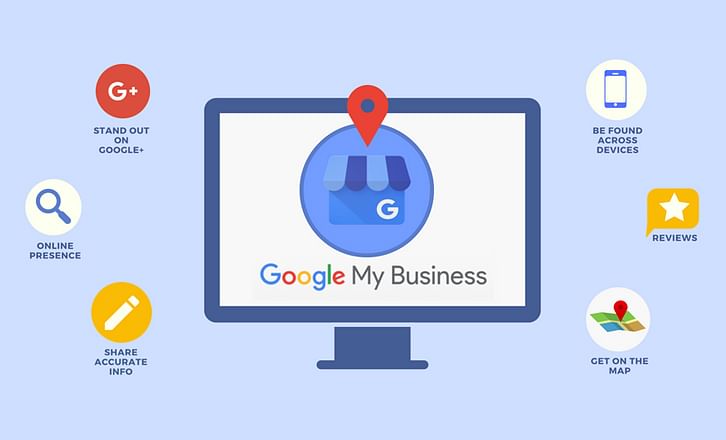

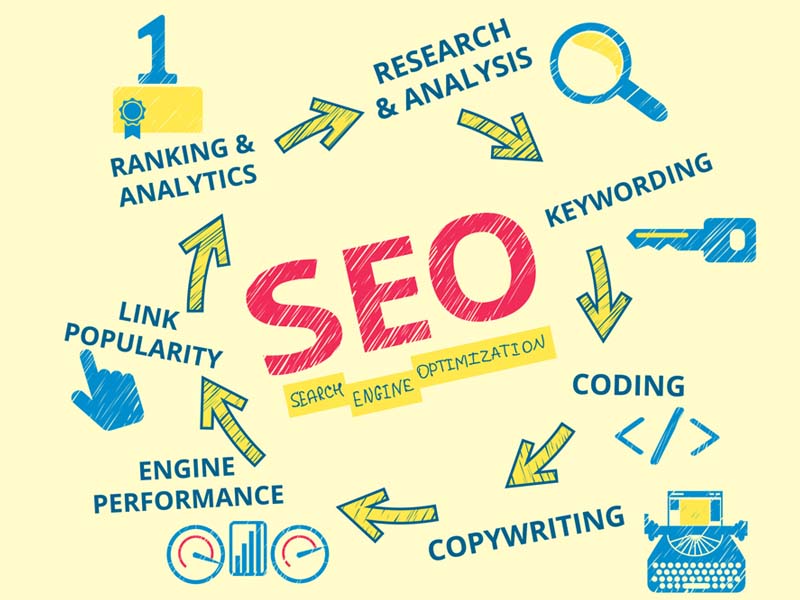
 WhatsApp us